DinoFlow is for sale by TechDino

Try every feature of DinoFlow, live in your browser

31 hands-on demos on one shared sample workspace: drag cards, reschedule on the timeline, write a doc, run an automation, ask Dino Brain. Nothing leaves your browser.

Kanban board with WIP limits

Move work across a drag-and-drop board, group it into swimlanes by person, and cap work in progress. A column can warn or refuse new work once its limit is reached.

Loading the interactive demo

Try it yourself0/4

  • Drag a card to another column
  • Switch on swimlanes by person
  • Change the In progress limit or its mode
  • Add a new card
  • Drag and drop, with keyboard support
  • Swimlanes by person, priority or any field
  • WIP limits in warn or enforce mode
  • Custom statuses per project

In the real app

Screenshots from the running product

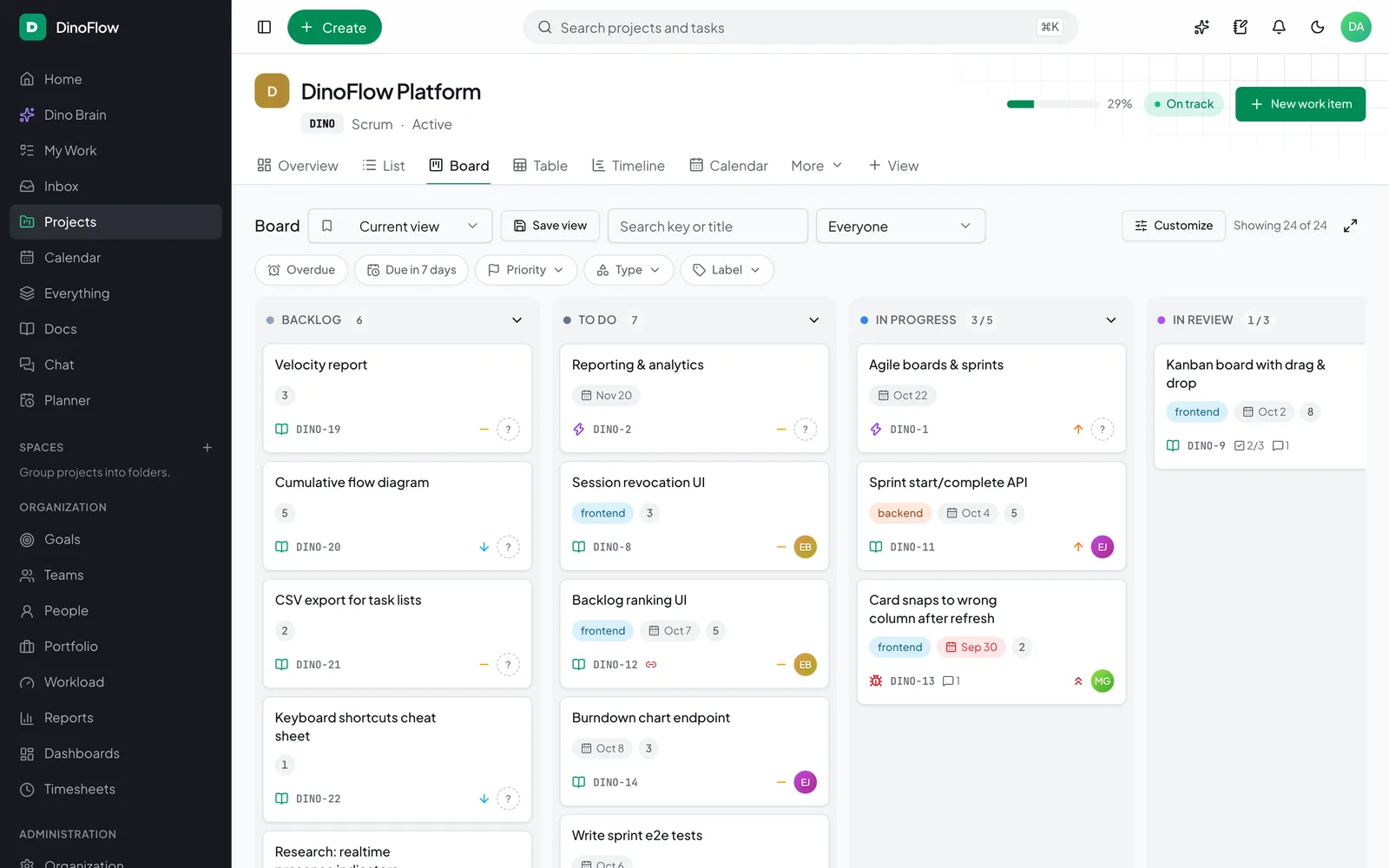
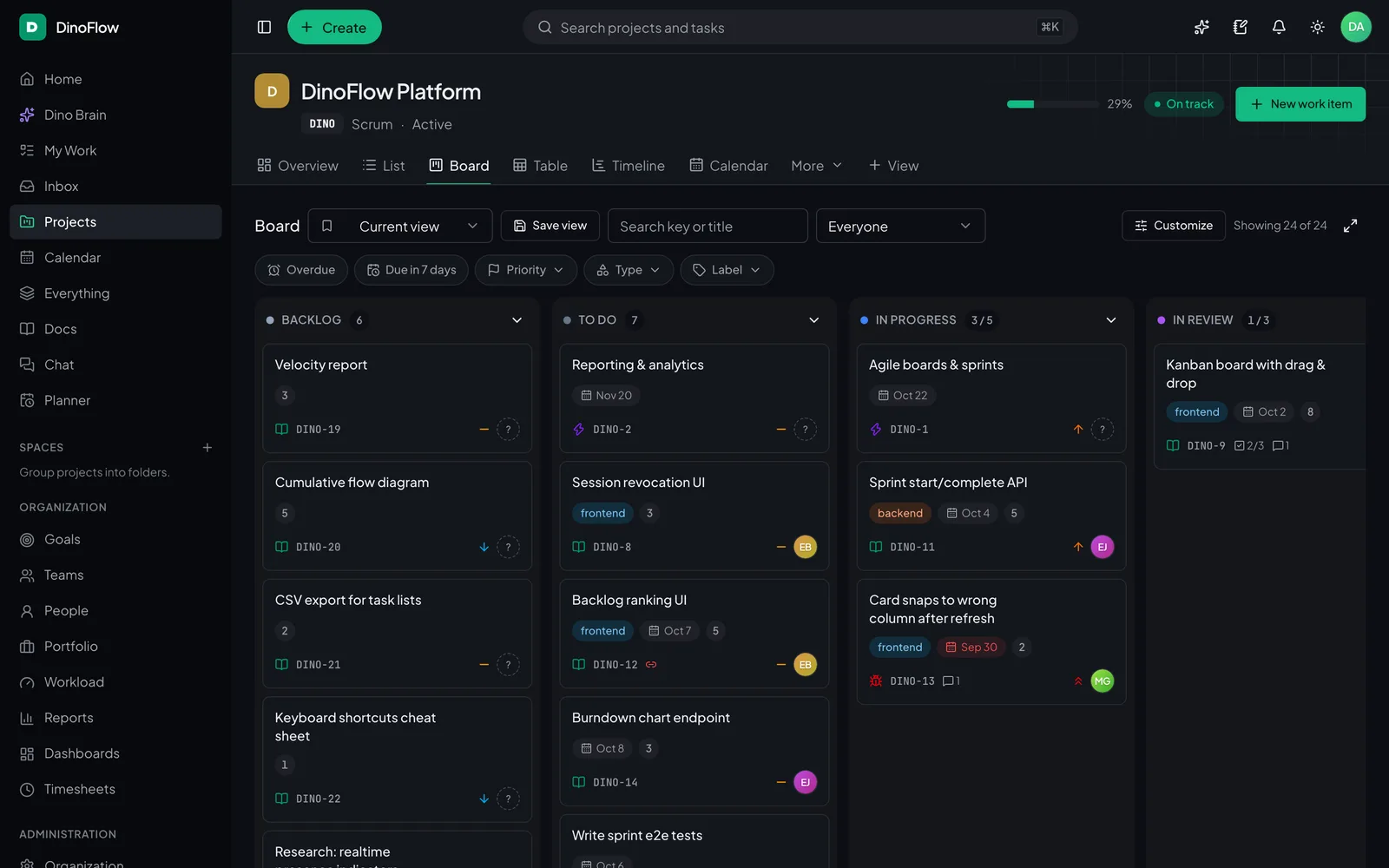
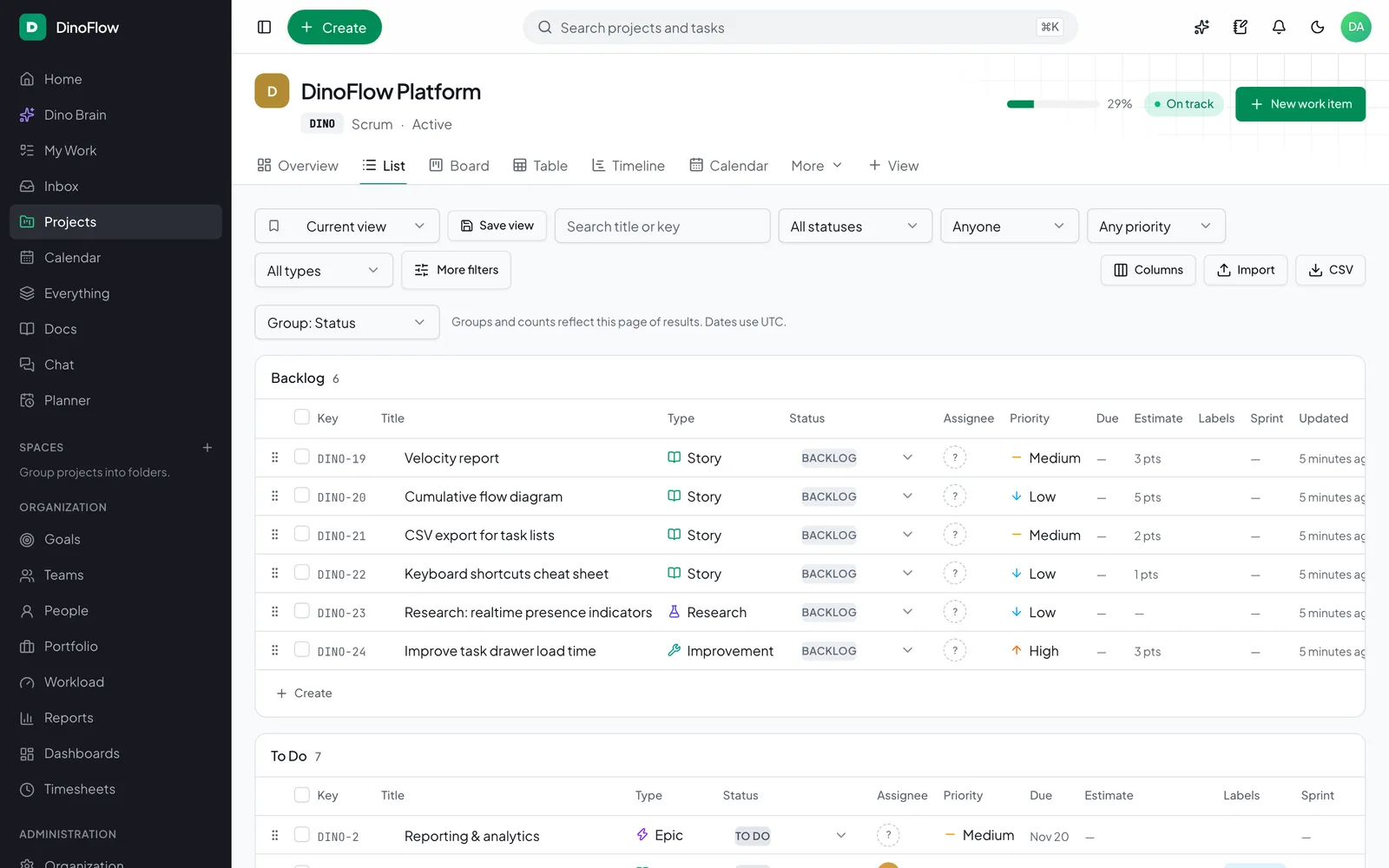
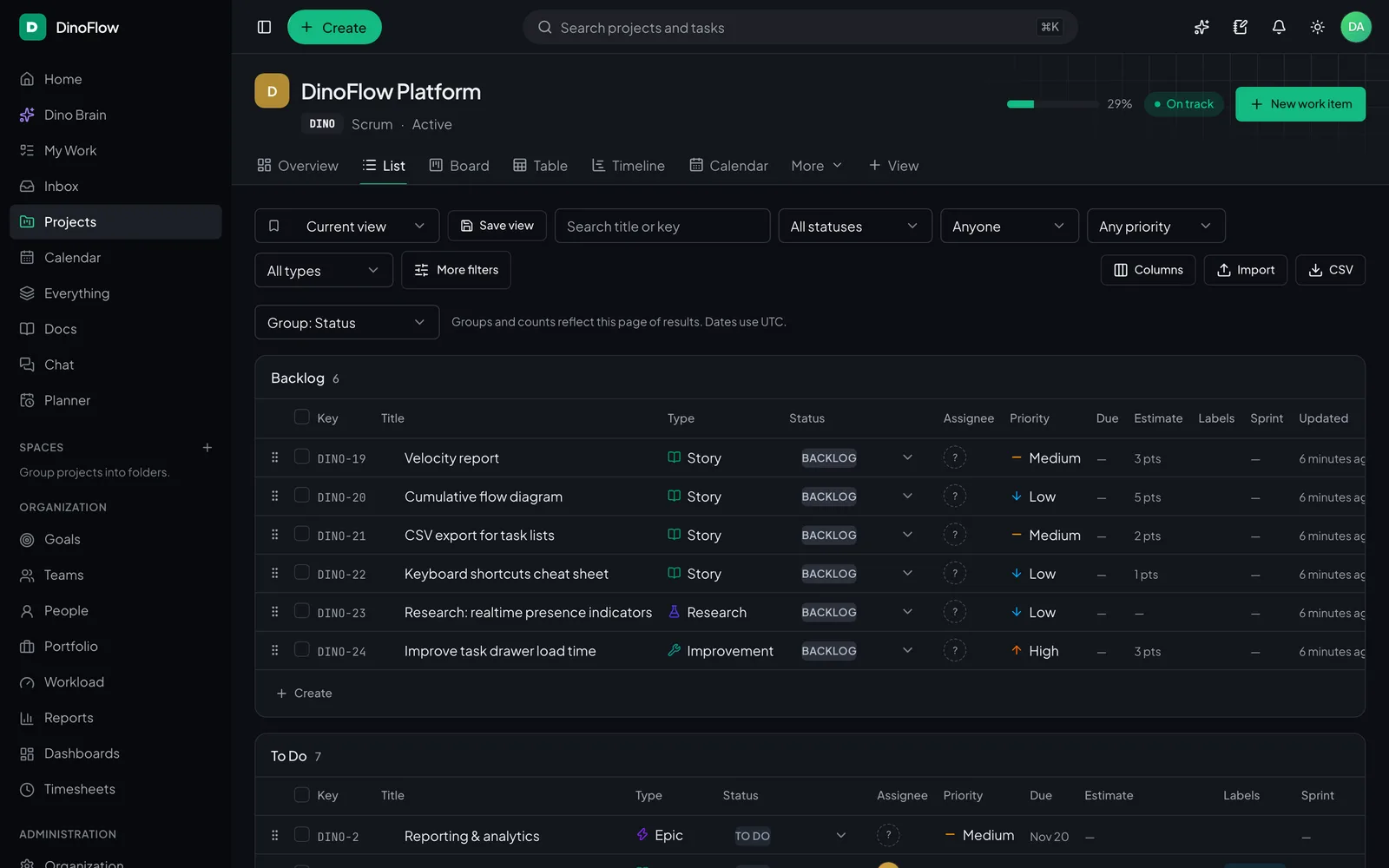
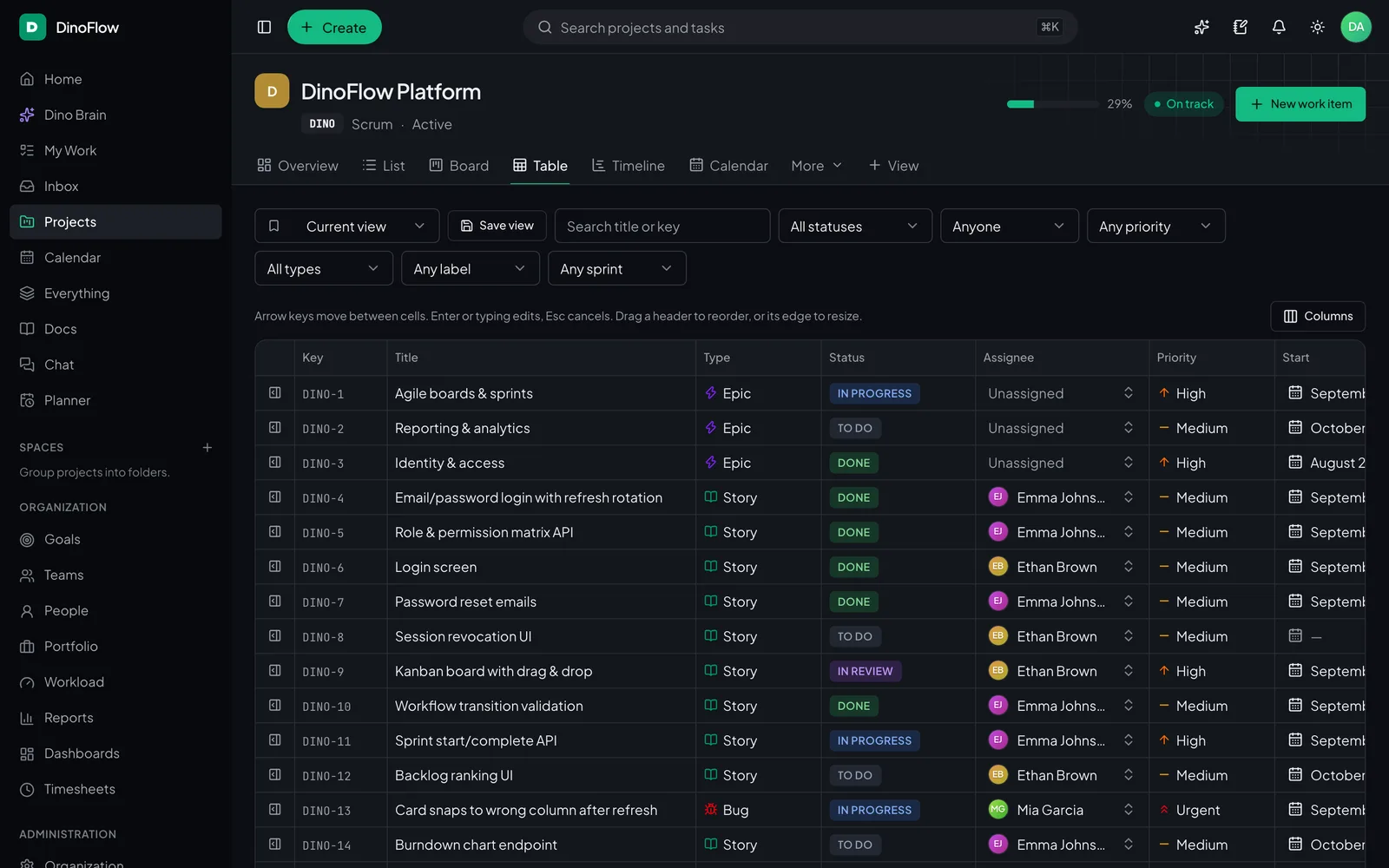
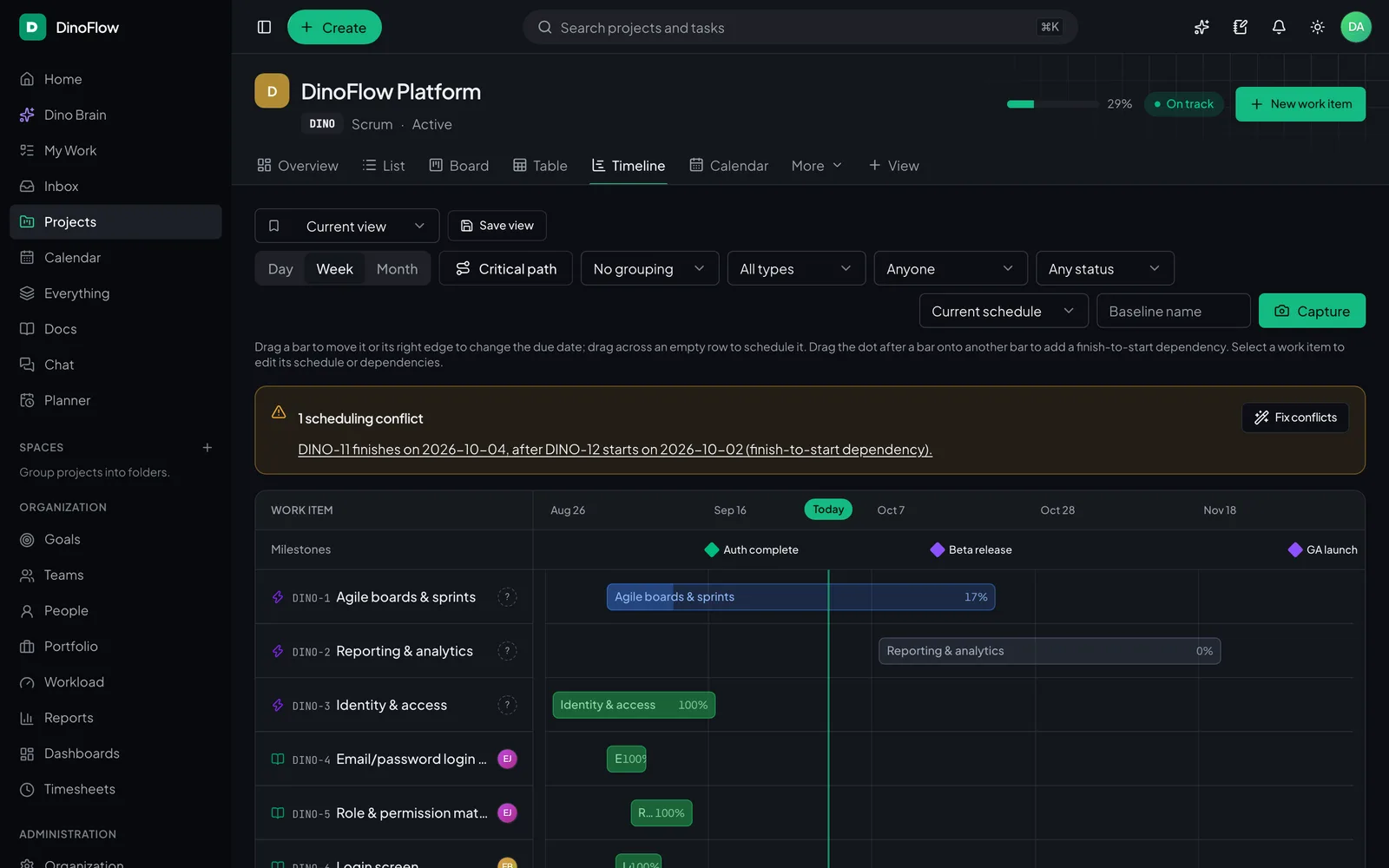
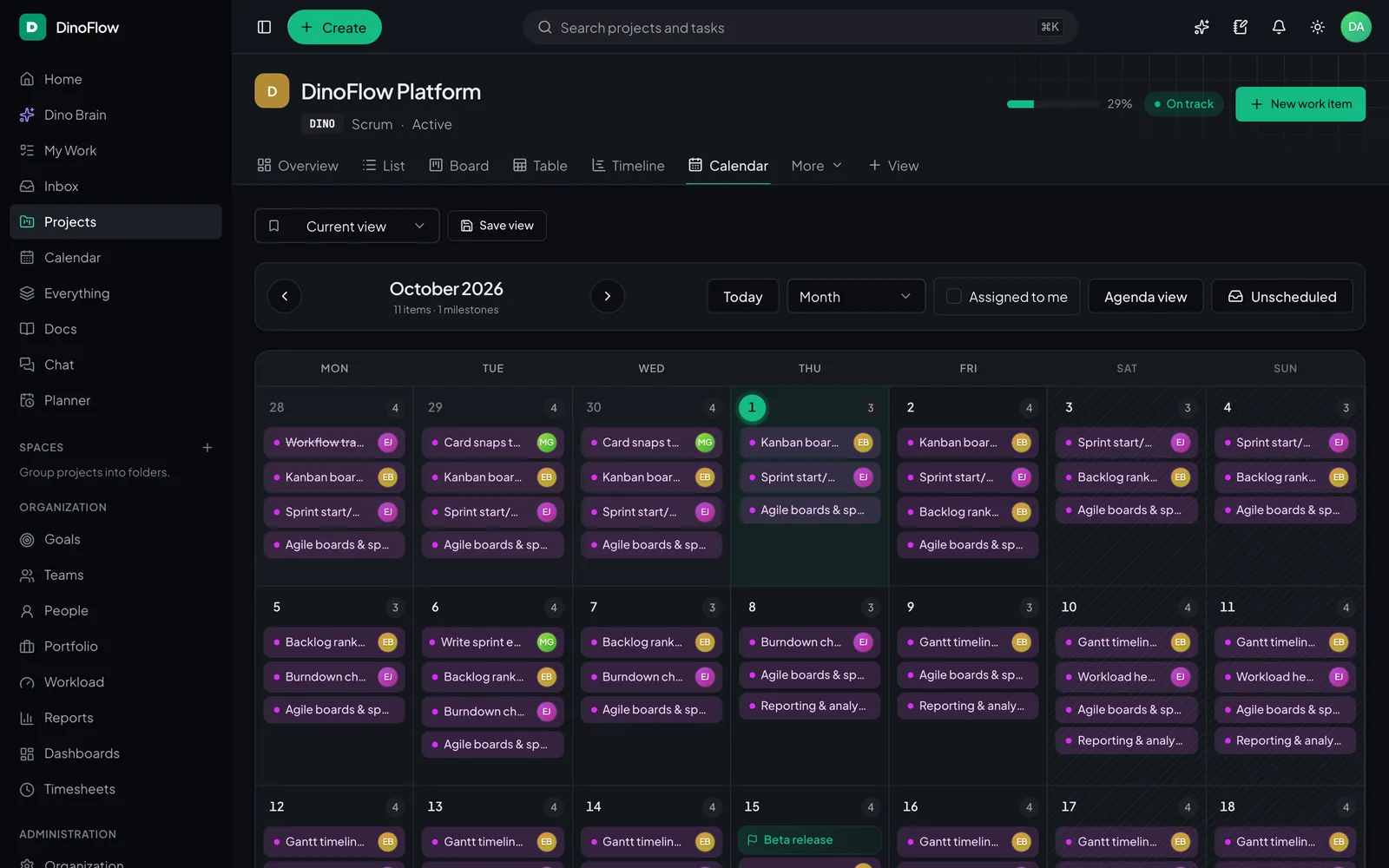
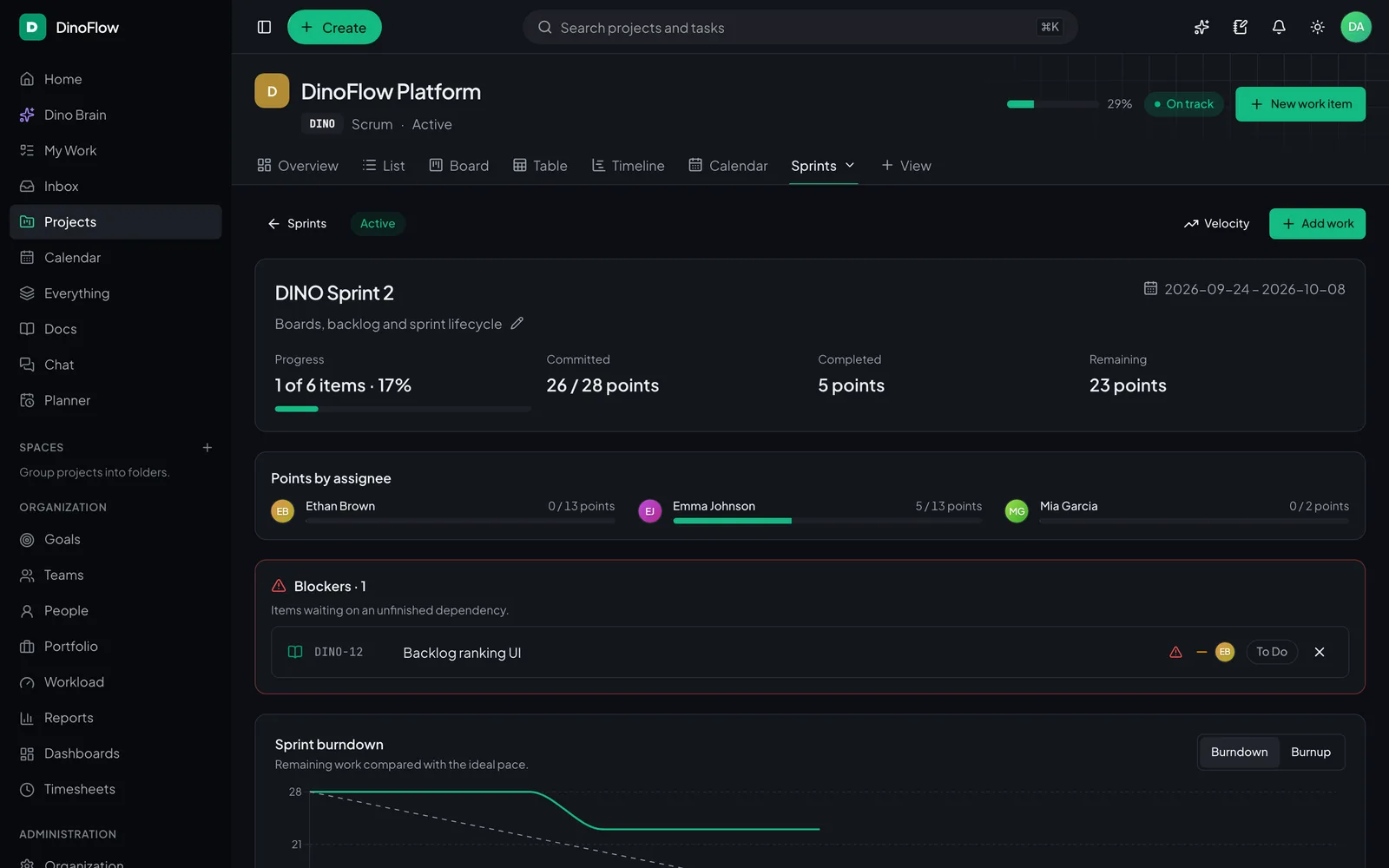
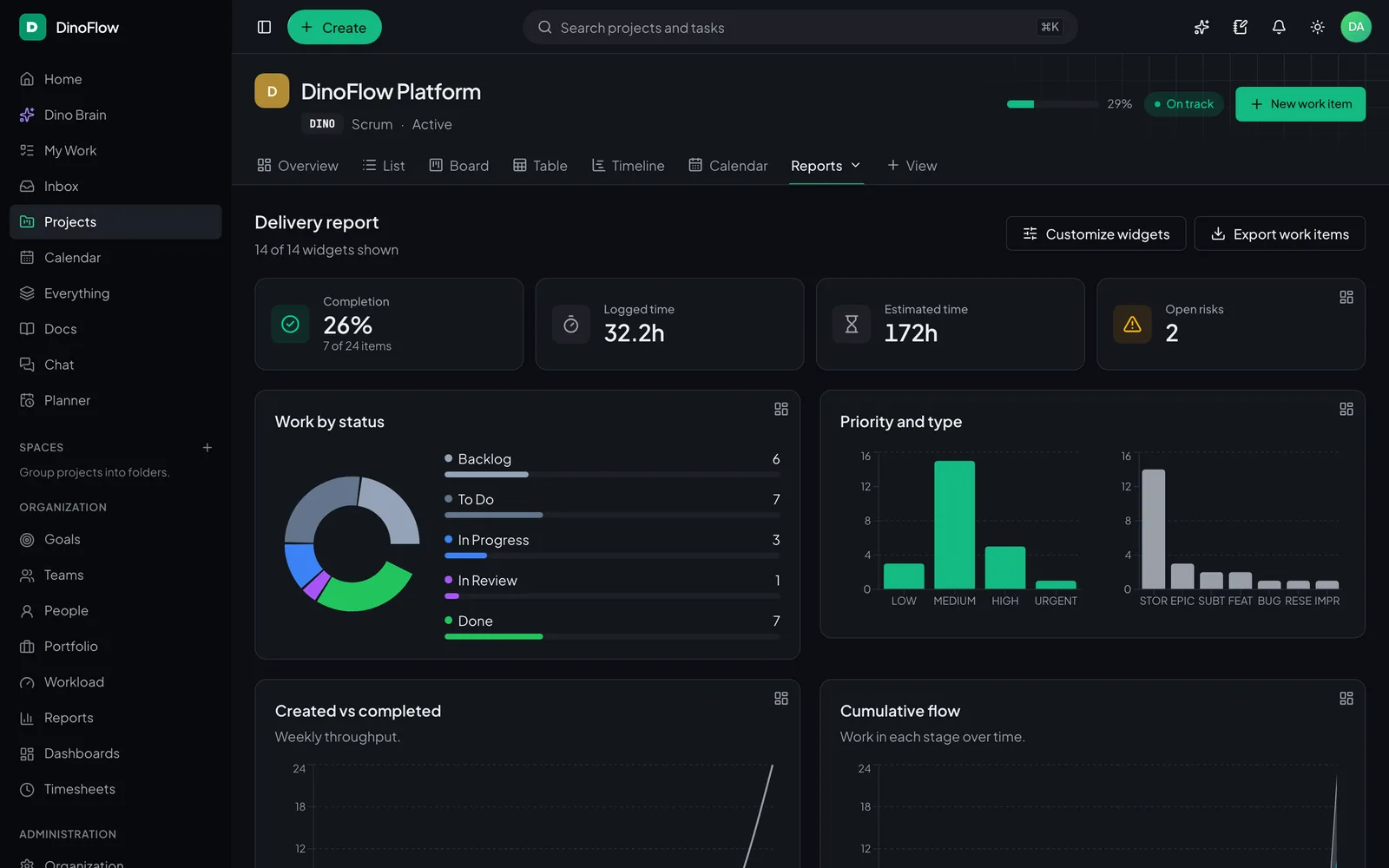
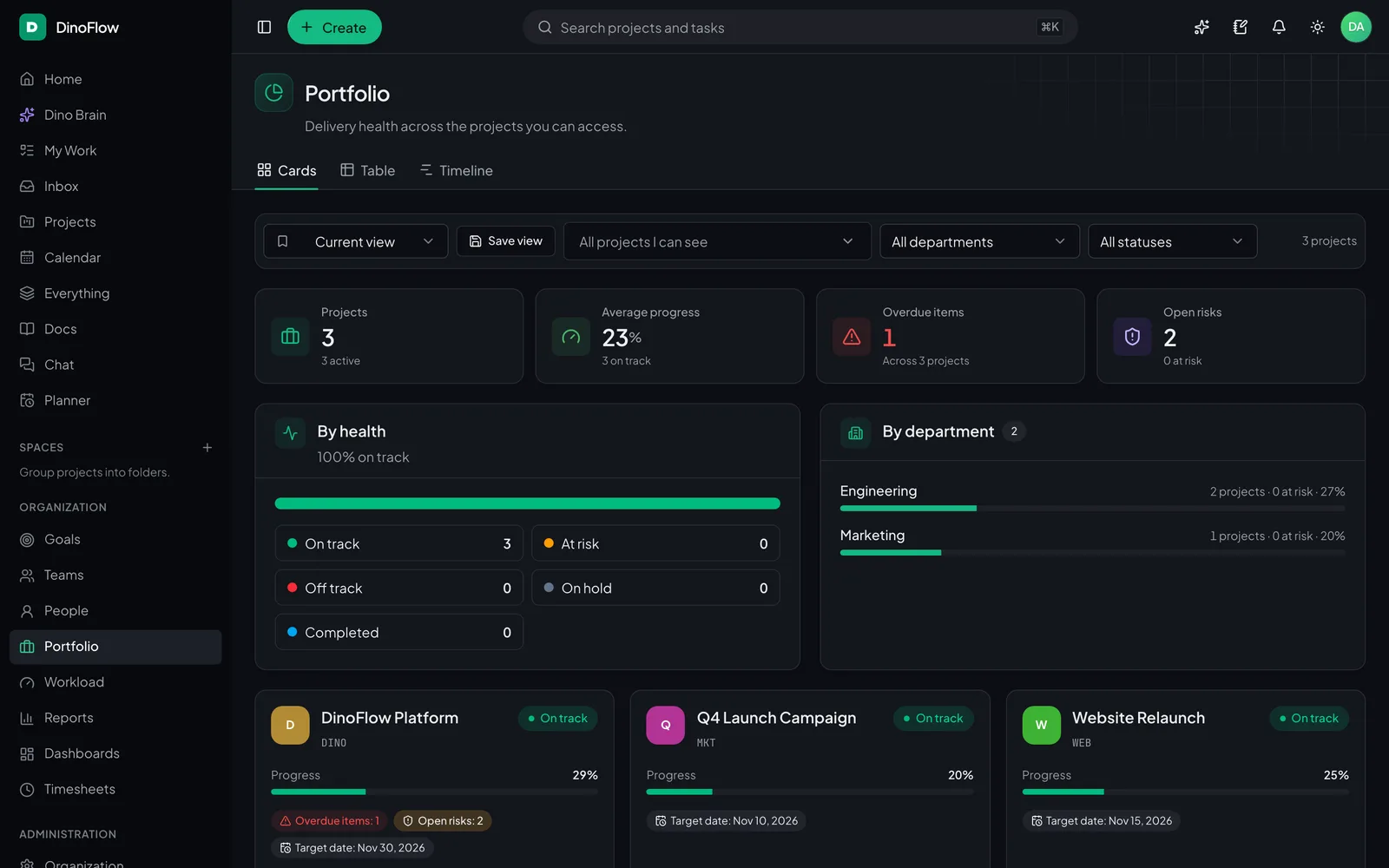
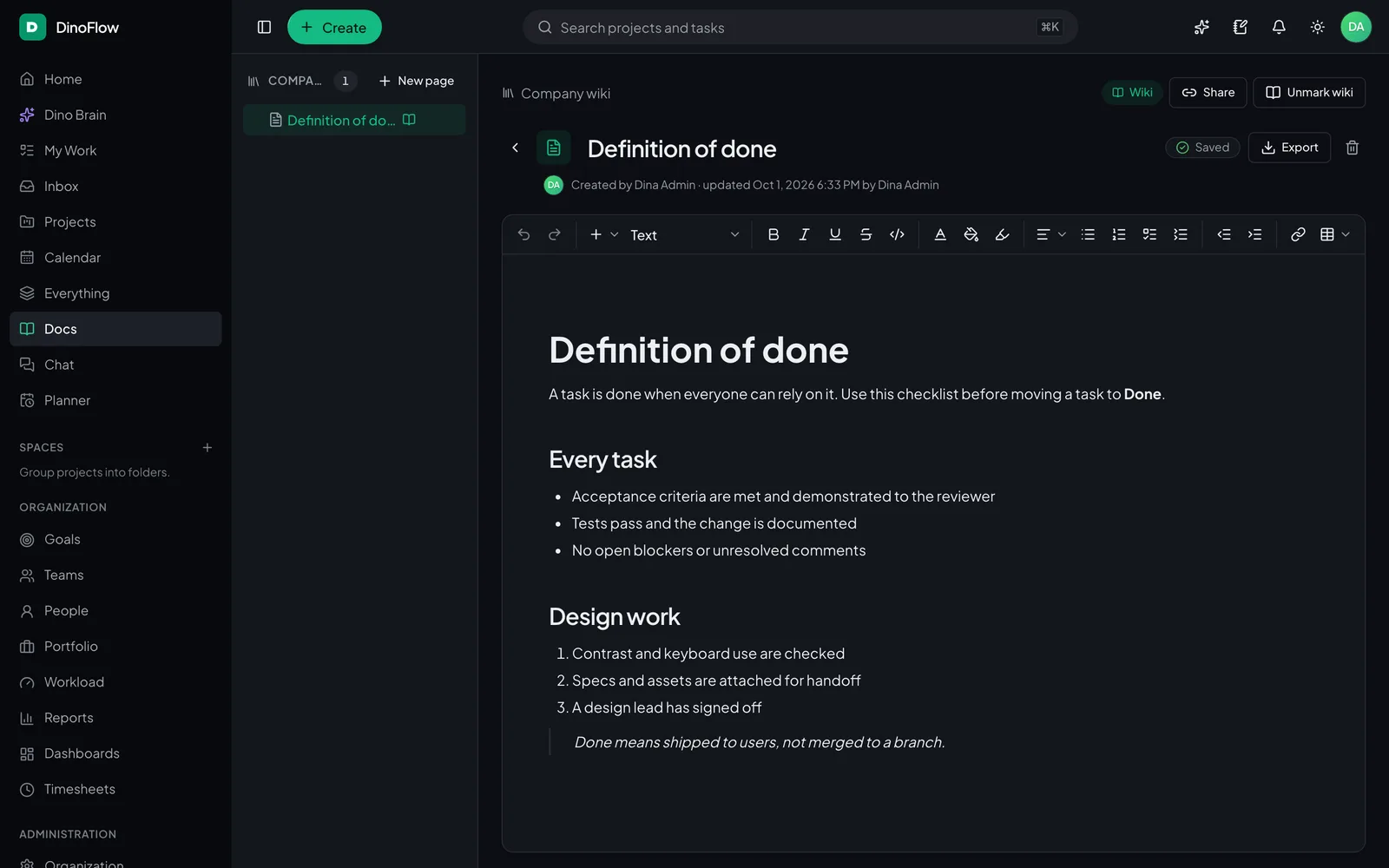
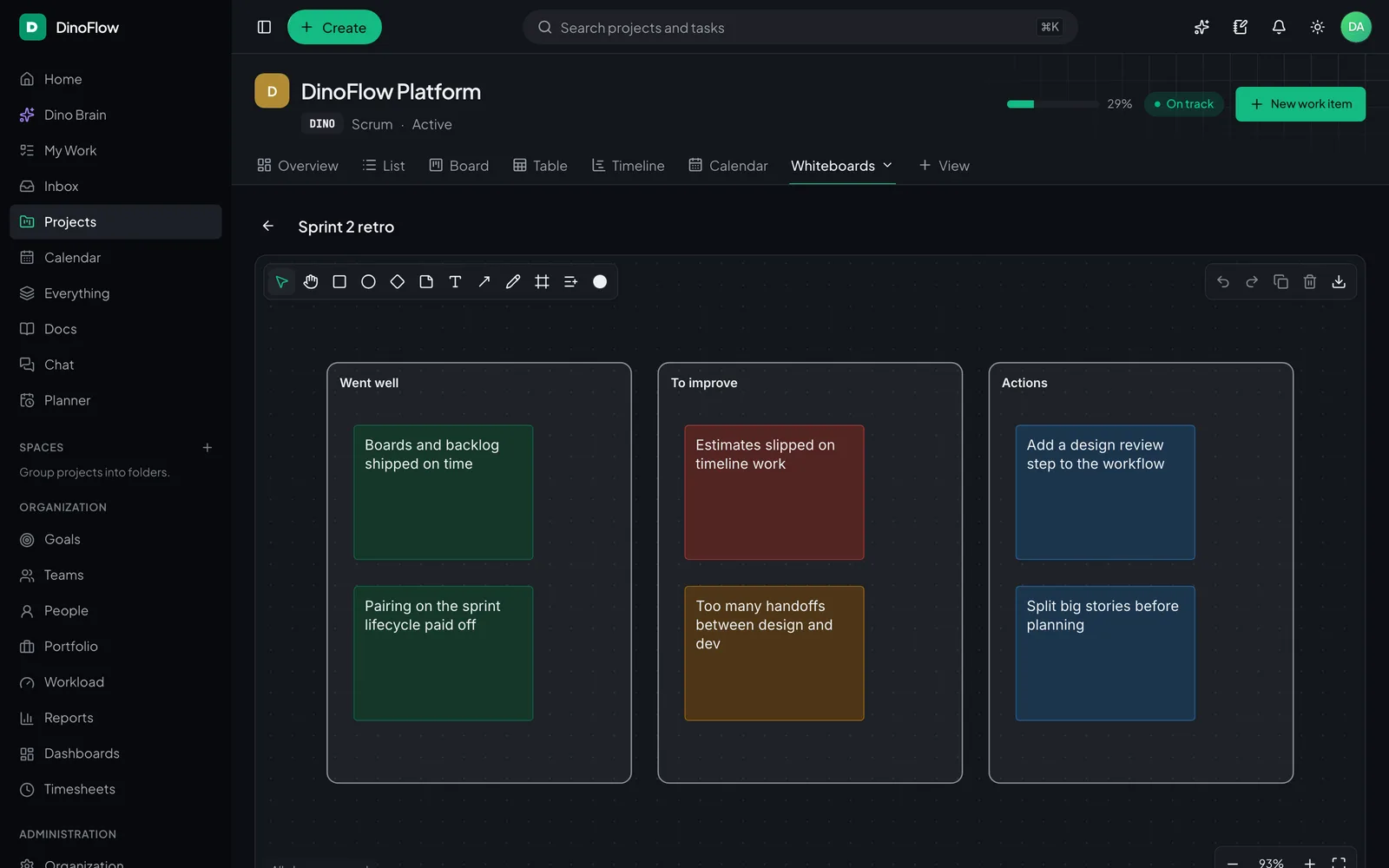
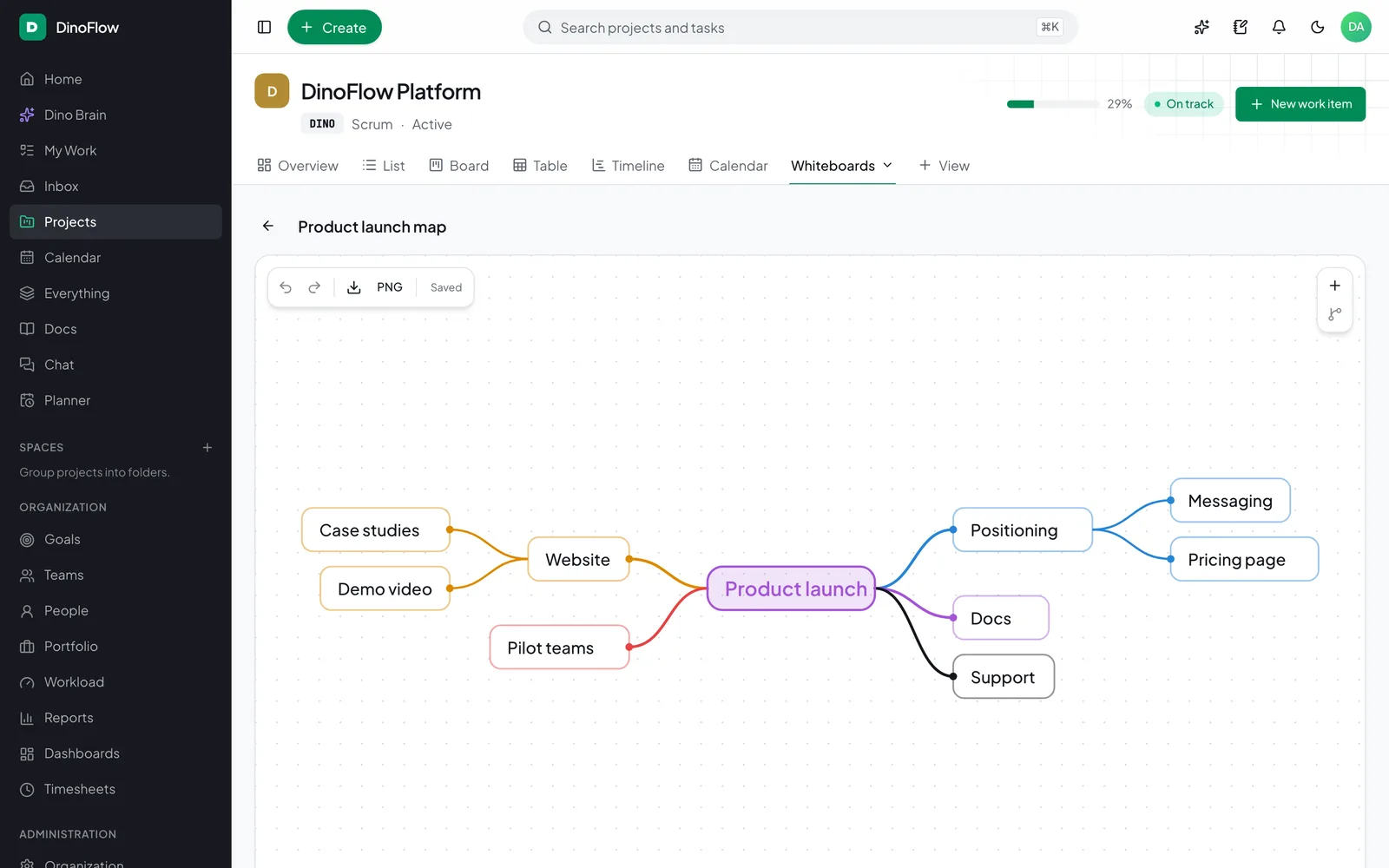
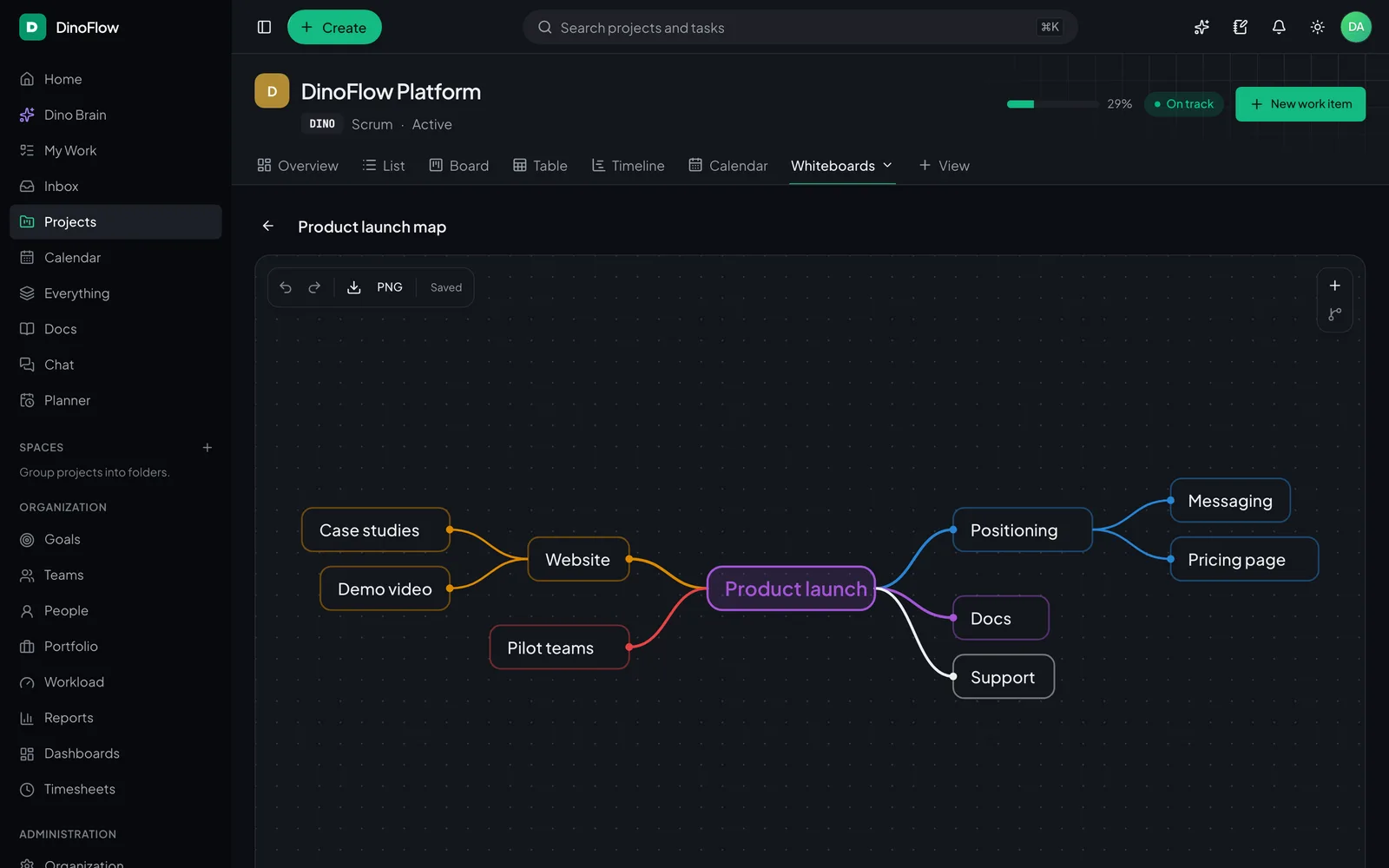
These are screenshots of DinoFlow itself, taken on a sample project. Light and dark themes both ship.

Kanban board

Drag cards between columns with WIP limits.

Try the interactive demo
DinoFlow Kanban board with Backlog, To do, In progress, In review and Done columns

Grouped list

Group, filter, bulk edit and import.

Try the interactive demo
DinoFlow list view grouped by status with task keys, types, priorities and assignees

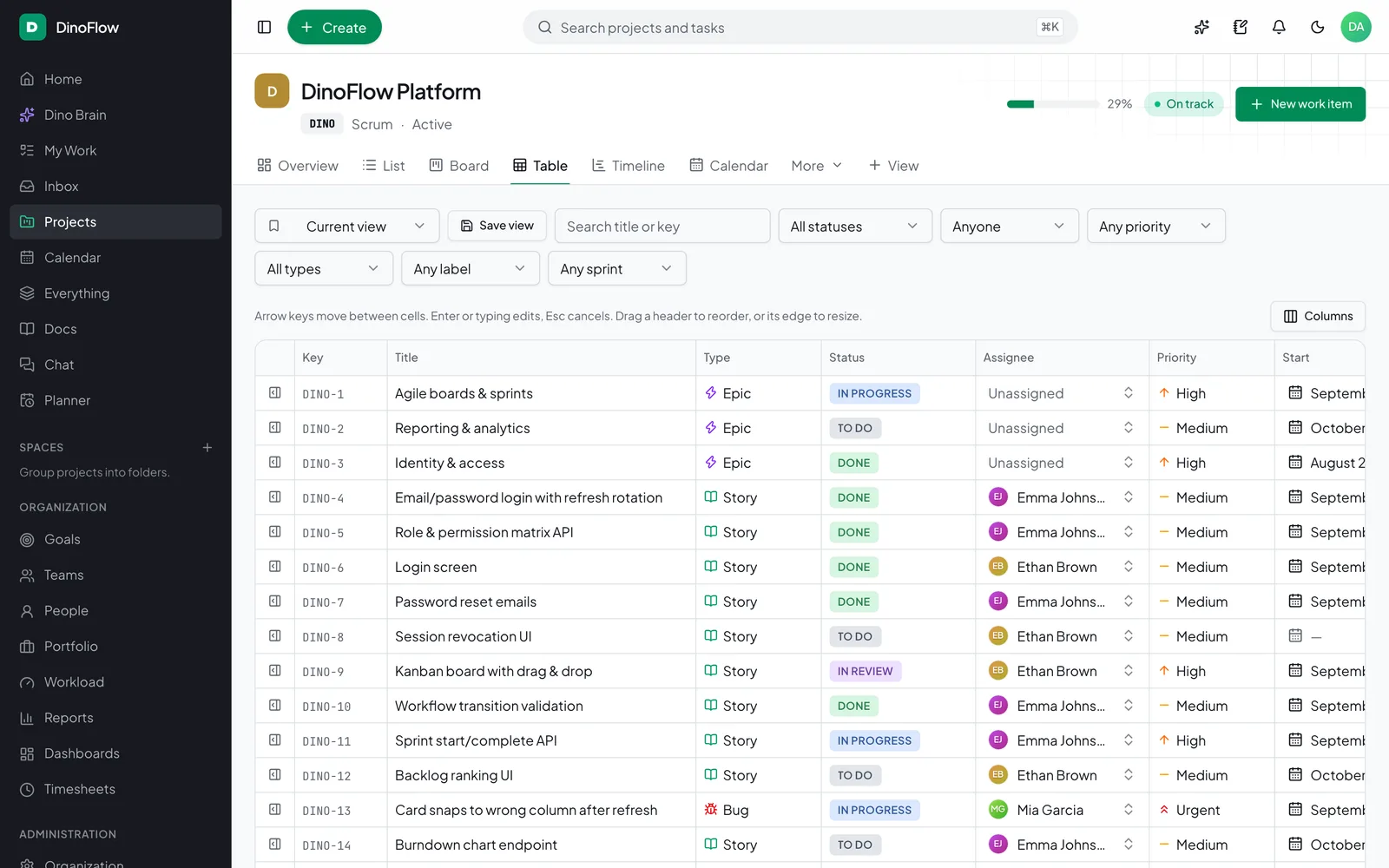
Spreadsheet-style table

Edit fields inline across every task.

Try the interactive demo
DinoFlow table view with columns for status, assignee, priority and dates

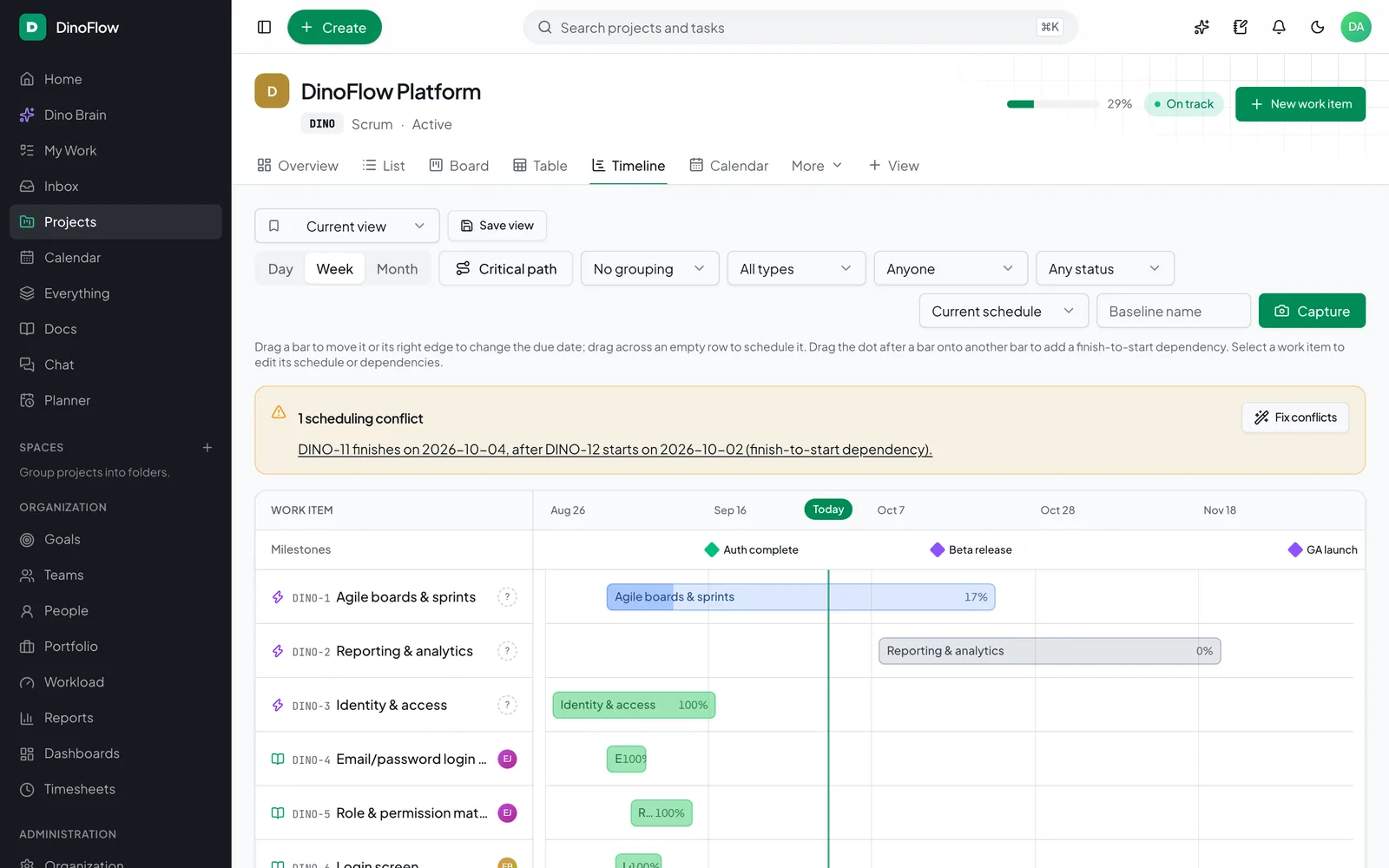
Timeline and critical path

Dependencies, baselines and conflicts.

Try the interactive demo
DinoFlow timeline with milestones, task bars, dependency arrows and a scheduling conflict banner

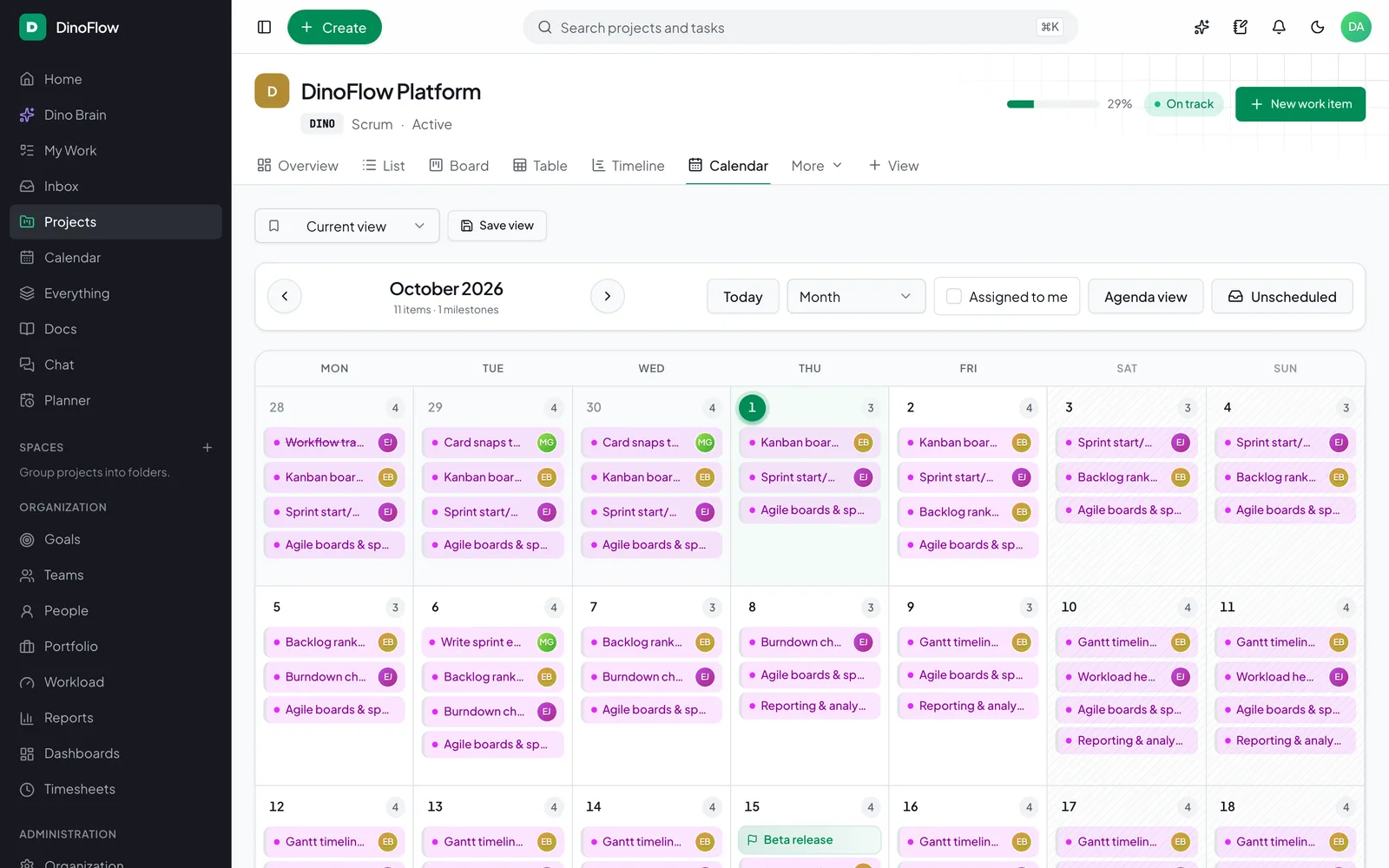
Calendar

Due dates, milestones and drag to reschedule.

Try the interactive demo
DinoFlow month calendar showing tasks and a milestone on their due dates

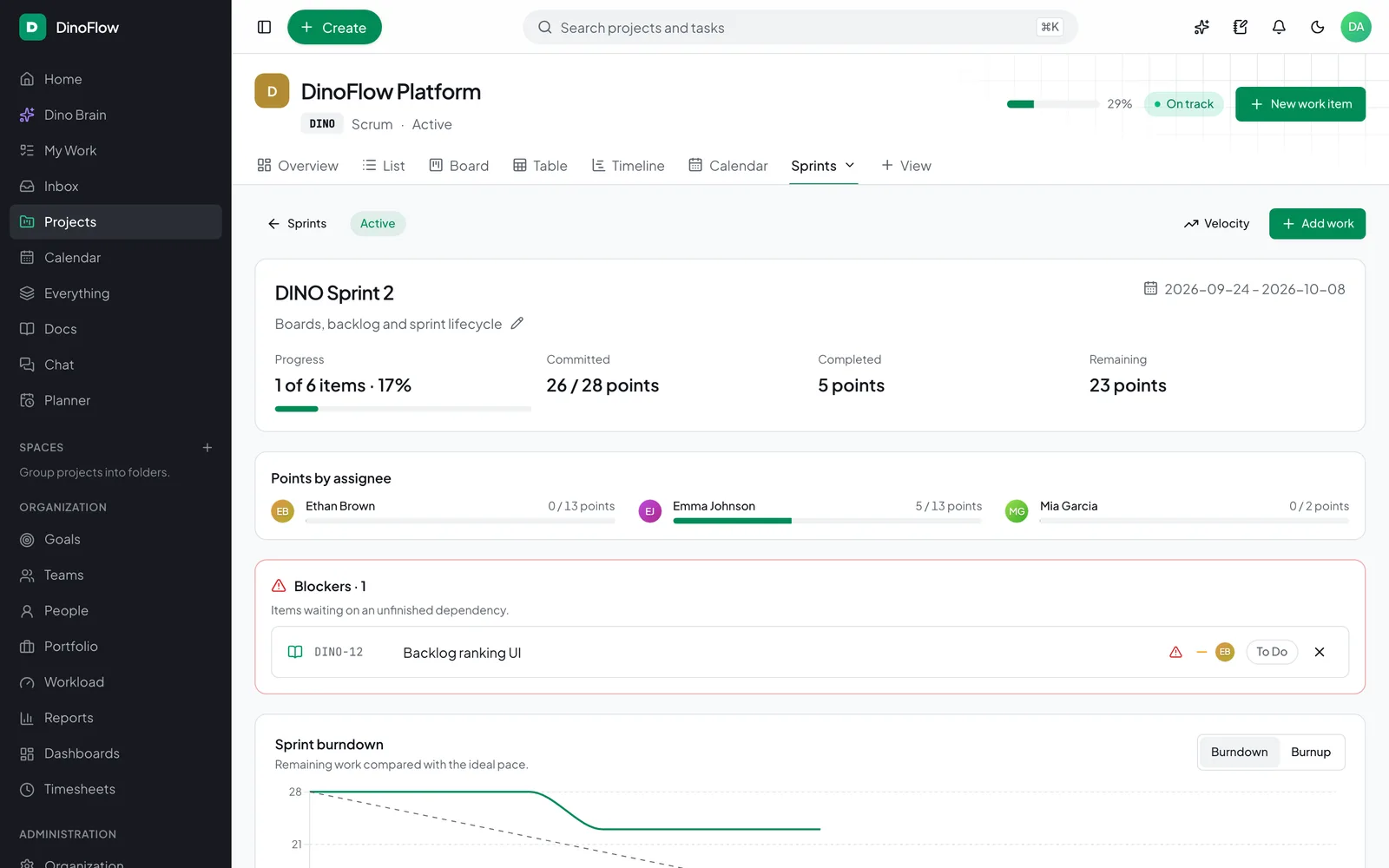
Sprint overview

Capacity, blockers and burndown.

Try the interactive demo
DinoFlow sprint page with committed and completed points, blockers and a burndown chart

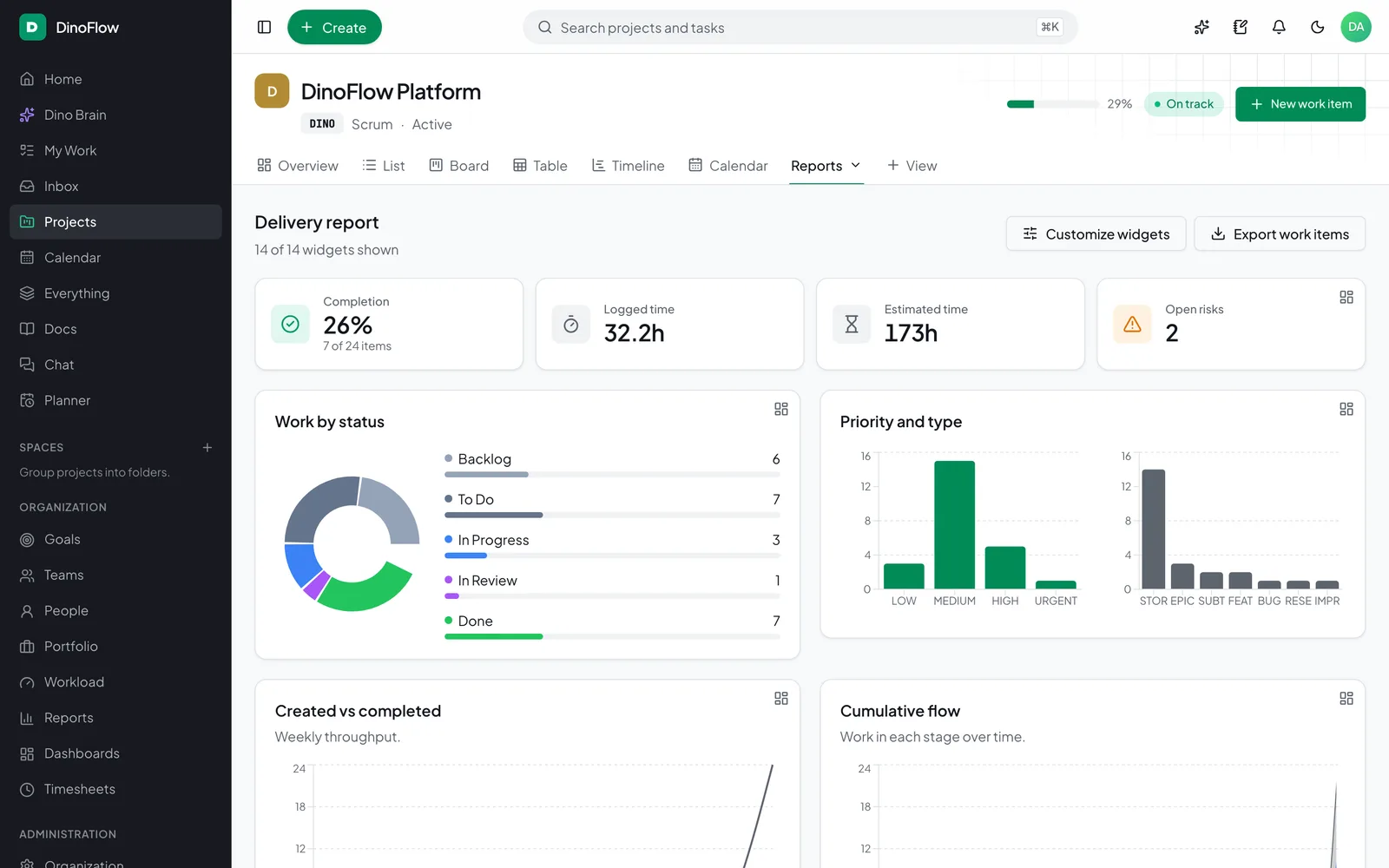
Delivery report

Status, priority, flow and cycle time.

Try the interactive demo
DinoFlow delivery report with completion, logged time, work by status and priority charts

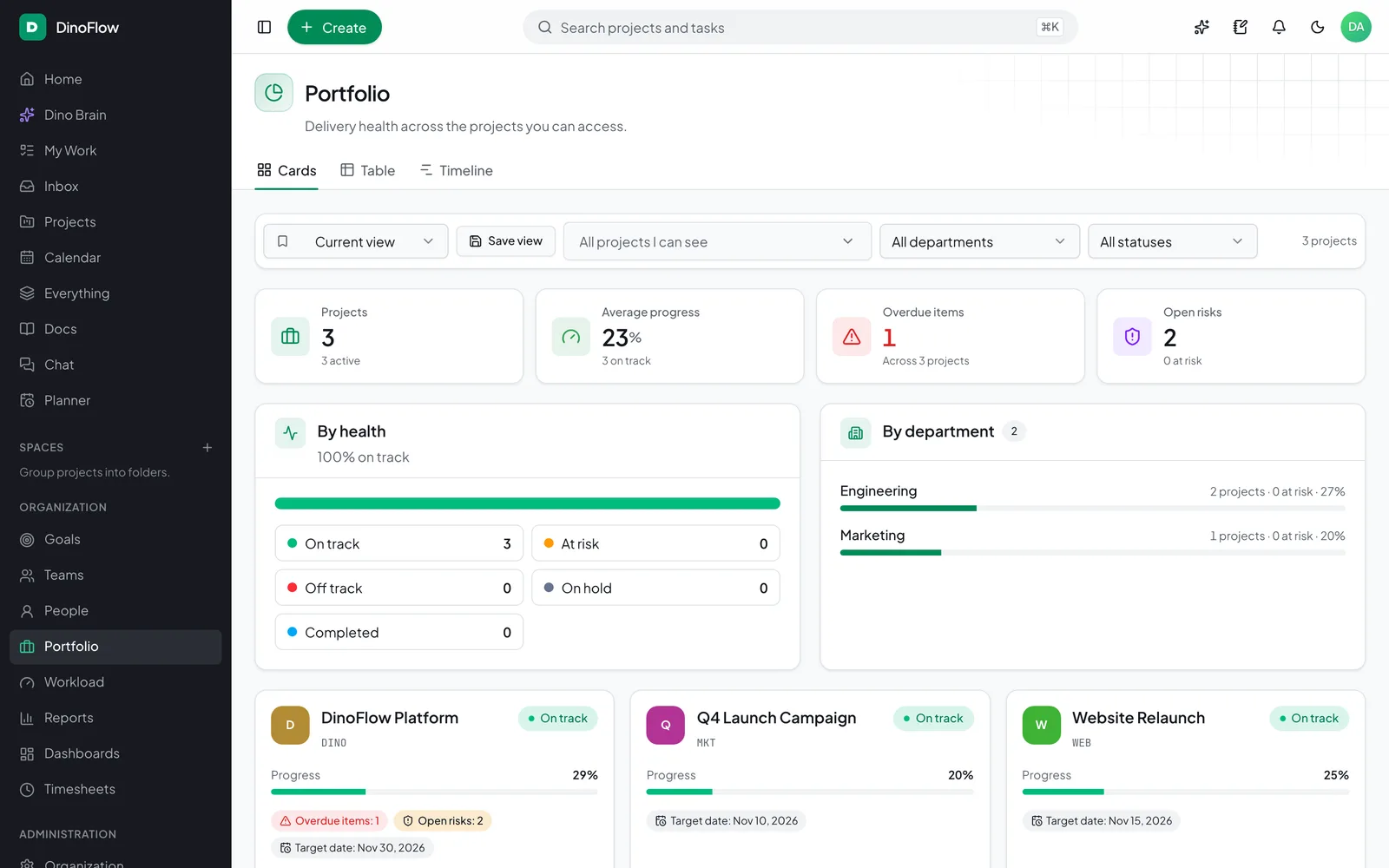
Portfolio health

Every project’s progress and risk at a glance.

Try the interactive demo
DinoFlow portfolio page with project cards, health by status and progress per department

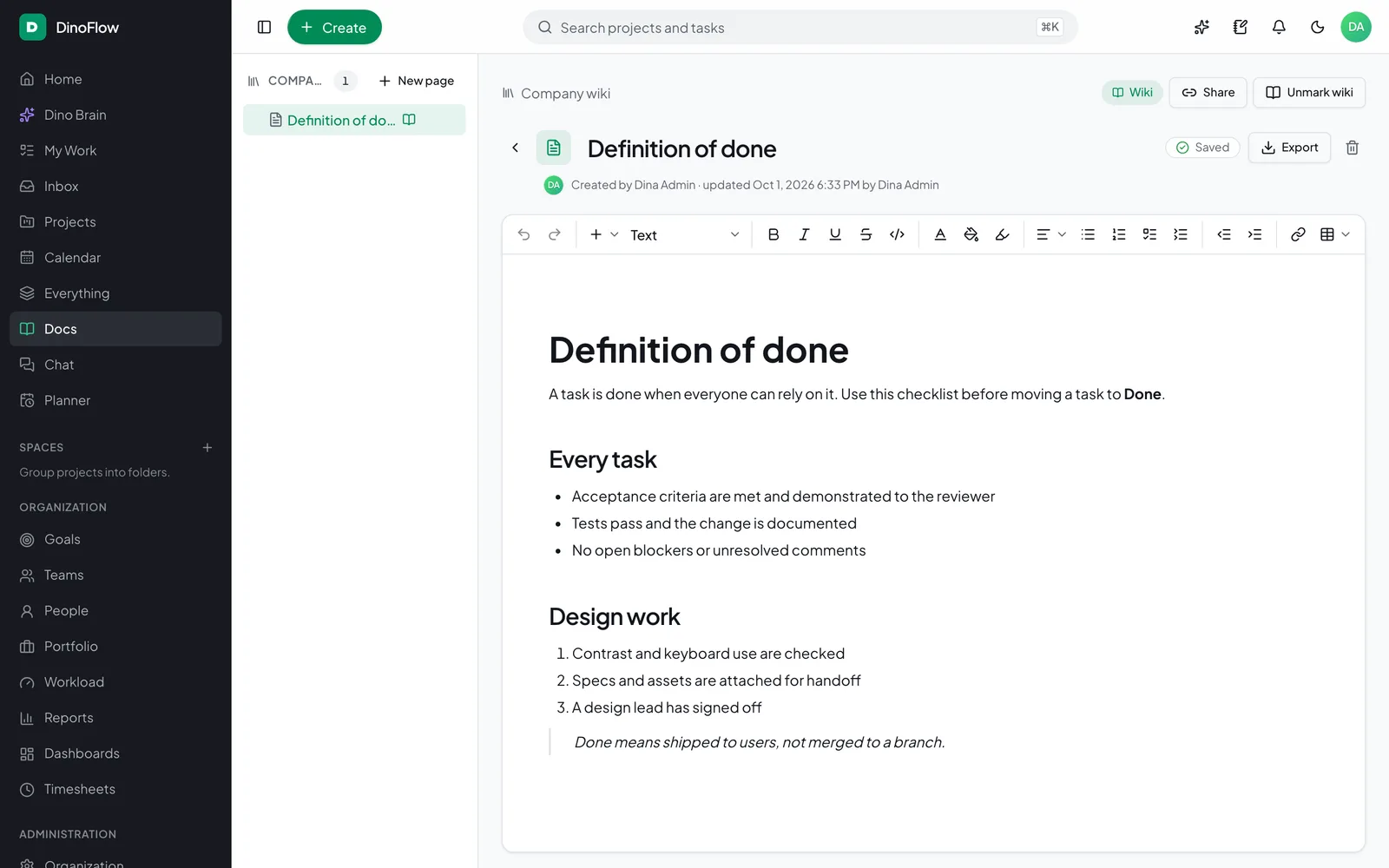
Docs and wiki

Rich pages with AI writing and sharing.

Try the interactive demo
DinoFlow document editor showing a Definition of done page with checklists

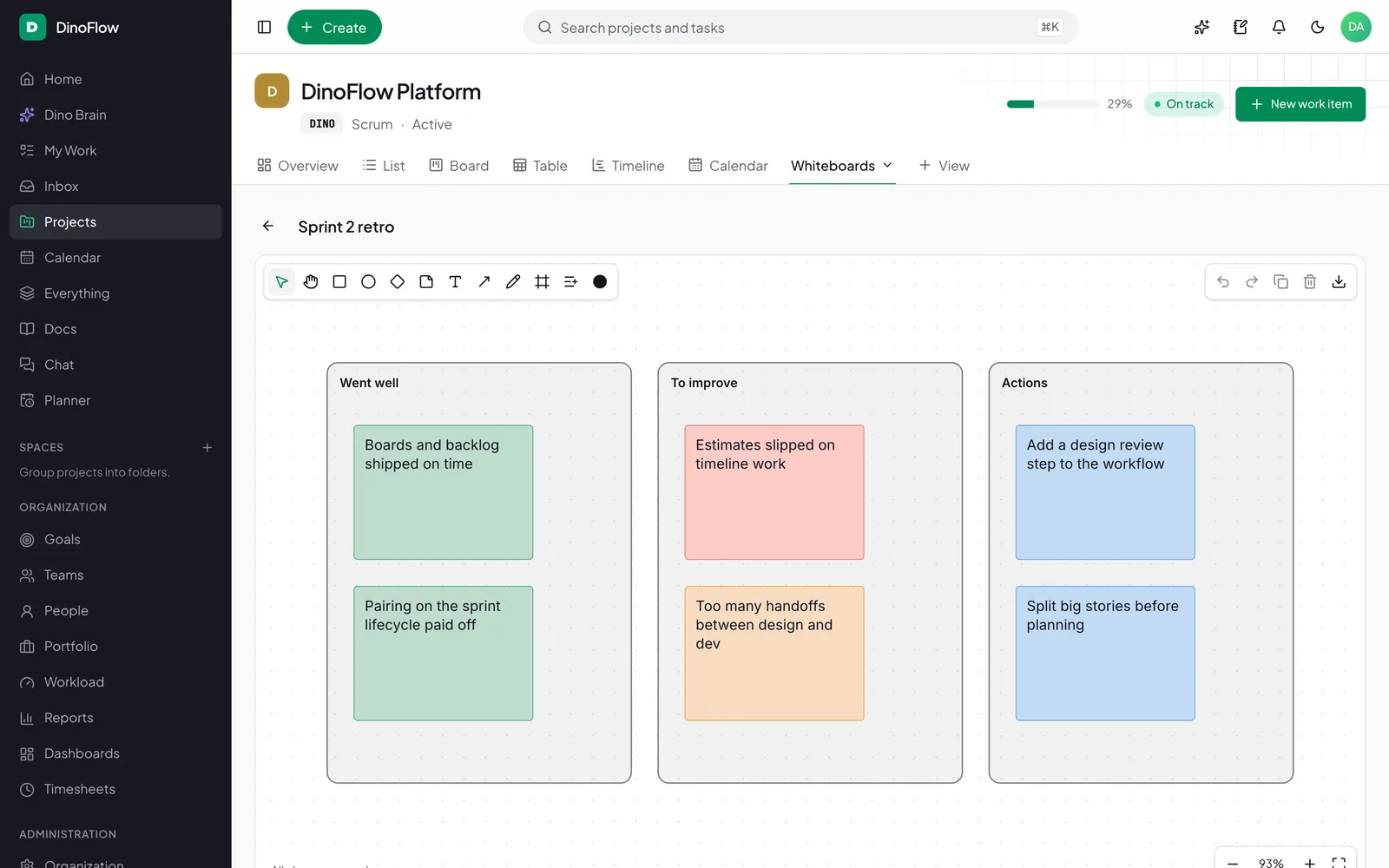
Whiteboard

Stickies, frames and task cards.

Try the interactive demo
DinoFlow whiteboard with sticky notes grouped under Went well, To improve and Actions

Mind map

Branch ideas with the keyboard.

Try the interactive demo
DinoFlow mind map with a Product launch node and branching topics

Every DinoFlow feature, in plain words

What each demo above shows, and what else the feature can do.

Work management

Tasks and every way to look at them.

Tasks, subtasks and custom fields

Every task has an assignee, priority, due date, estimate, labels, subtasks, dependencies, comments and your own custom fields. Edit anything and every other view updates at once.

  • Subtasks and checklists with progress
  • Multiple assignees, labels and watchers
  • Dependencies between tasks
  • Custom fields of 15 types, including AI-filled fields
Try it live

Kanban board with WIP limits

Move work across a drag-and-drop board, group it into swimlanes by person, and cap work in progress. A column can warn or refuse new work once its limit is reached.

  • Drag and drop, with keyboard support
  • Swimlanes by person, priority or any field
  • WIP limits in warn or enforce mode
  • Custom statuses per project
Try it live

List and table views

See the same tasks as a grouped list or a sortable table. Search, choose columns, save the view and export to CSV, or select several rows and change them together.

  • Group by status, person or priority
  • Bulk status, assignee and delete
  • Saved views and column choices
  • CSV import and export
Try it live

Timeline with dependencies

A Gantt-style timeline with draggable and resizable bars, finish-to-start dependencies, auto-scheduling and critical-path highlighting, so you can see what a date change pushes out.

  • Drag to move, resize to change the end
  • Dependencies with auto-schedule
  • Critical path and conflicts
  • Baselines and zoom levels
Try it live

Calendar

Month and week calendars show due dates, holidays and time off. Drag a task to another day to change its due date, or add one straight onto a day.

  • Drag to reschedule
  • Holidays and time off shaded
  • Exact start and due times
  • ICS feed for your own calendar app
Try it live

Backlog, sprints and burndown

Rank the backlog, pull work into a sprint against its capacity, start and complete sprints, and follow burndown and velocity. Unfinished work rolls back to the backlog on completion.

  • Backlog ranking and readiness
  • Capacity in points or hours
  • Burndown, burnup and velocity
  • Releases with AI-drafted notes
Try it live

Workflows and required fields

Each project has its own statuses and transitions. Limit who can move work where, require fields before a status, and see blocked moves explained instead of failing silently.

  • Custom statuses and categories
  • Allowed transitions per role
  • Required fields on a transition
  • A visual workflow editor
Try it live

Custom fields

Add text, number, date, select, multi-select, checkbox, rating, progress, URL, email, phone, people, location, currency and AI fields to any project, then show, filter and report on them.

  • 15 field types
  • Show as columns, filters and card fields
  • Fill in bulk with AI
  • Import mapping from CSV
Try it live

Map view

Give tasks a location and see them on a map next to the list, which suits field work, installations and site visits.

  • Location custom fields
  • Pins linked to the list
  • Filters apply to the map too
Try it live

Planning and time

Plan the day, track hours, balance the load.

Personal planner

Drag tasks onto your day, see your free hours after time off and holidays, and start a timer from any block. Dino Brain can plan the day for you from what is due.

  • Day and week blocks
  • Capacity after time off
  • Timer from any block
  • AI day planning
Try it live

Time tracking and timesheets

Track time with a timer or by hand, mark it billable, and submit weekly timesheets for approval. Approved weeks lock, and a timer that runs past midnight is split across days.

  • Timer with pause and resume
  • Billable flag and descriptions
  • Weekly submit and approve
  • Locked periods and audit
Try it live

Workload and capacity

Planned hours against each person’s capacity for every day or week, after holidays and time off. Reassign work by dragging it to someone with room.

  • Utilization by person and period
  • Holidays and time off counted
  • Drag to reassign
  • Saved views and filters
Try it live

Goals and OKRs

Set objectives with key results, track them manually or from linked tasks and milestones, and roll progress up the hierarchy.

  • Objectives and key results
  • Progress from linked tasks
  • Owners, periods and hierarchy
  • Initiative and project links
Try it live

Risks, milestones and releases

Record risks with probability and impact, plan milestones with progress from linked work, and group finished work into releases with notes that AI can draft.

  • Risk matrix and mitigation
  • Milestones with live progress
  • Releases and version notes
  • Alerts when dates slip
Try it live

Collaboration

Write, talk, draw and collect requests.

Docs and wiki

A rich editor for docs and wiki pages with headings, lists, quotes, code, slash commands and AI writing. Pages nest, link to tasks, export to Word, PDF and Markdown, and can be shared by a read-only link.

  • Rich text with slash commands
  • Write with AI: continue, shorten, translate
  • Nested pages and task links
  • Public read-only share links
Try it live

Sheets with formulas

Spreadsheet pages with formulas, references and ranges, multiple tabs, frozen panes and formatting, plus CSV and Excel import and export.

  • SUM, AVERAGE, MIN, MAX and arithmetic
  • Cell references and ranges
  • Multiple tabs and formatting
  • CSV and Excel export
Try it live

Chat, threads and message-to-task

Project channels, private channels and direct messages with threads, mentions, reactions and unread tracking. Turn any message into a task in one click.

  • Public, private and direct channels
  • Threads, mentions and reactions
  • Message to task
  • Presence and unread counts
Try it live

Sync-up calls

Audio, video and screen sharing built into channels and tasks, with up to six people in a mesh call. No separate meeting tool to open.

  • Audio, video and screen share
  • Rooms on channels and tasks
  • Up to six participants
  • Configurable TURN for strict networks
Try it live

Whiteboards

An infinite canvas with sticky notes, shapes, text, arrows, pen and frames. Link live task cards, convert a sticky to a task, and export to PNG or SVG.

  • Stickies, shapes, text and arrows
  • Frames that set fields on drop
  • Sticky to task
  • PNG and SVG export
Try it live

Mind maps

Freeform mind maps with automatic layout, keyboard editing, folding, notes and links. Press Tab for a child and Enter for a sibling.

  • Tab and Enter to branch
  • Auto layout and folding
  • Notes and links on nodes
  • Versioned autosave
Try it live

Intake forms

Create public or internal request forms with your own questions and defaults. Responses land as tasks, with spam protection, and Dino Brain can draft a form from one line.

  • Public and internal forms
  • Question types and defaults
  • Submissions create tasks
  • Spam protection and rate limits
Try it live

Files and previews

Attach files to tasks and docs, preview images, PDFs and video without leaving the page, and record a quick screen clip. Uploads are type-checked and counted against a quota.

  • Drag and drop attachments
  • In-app previews
  • Screen clips
  • Type checks and quota
Try it live

Insights and search

See progress and find anything.

Dashboards and reports

Build dashboards from cards for status, workload, burndown, goals and time, and open project reports with cumulative flow, velocity and cycle time. Everything is live and exportable.

  • Drag-and-arrange cards
  • Burndown, flow and velocity
  • Workload and time reports
  • CSV export
Try it live

Inbox and reminders

Notifications land in one inbox by category. Mark them read, snooze them, set reminders on tasks, and choose per event whether you also get email or desktop alerts.

  • Categories and filters
  • Snooze and clear
  • Personal reminders
  • Email, push and daily digests
Try it live

Automation and AI

Rules, agents and integrations.

Automations

Pick a trigger, add conditions and stack actions such as assign, set priority, comment, notify or run Dino Brain agents. Every run is recorded with its result.

  • Event and schedule triggers
  • Conditions and 10 core actions
  • AI actions and agent runs
  • Run history
Try it live

Dino Brain AI agents

A supervisor routes each request to five specialist agents that read and change your work with your permissions. Bulk changes wait for approval, and it works with any OpenAI-compatible model.

  • Supervisor plus five specialists
  • Acts with your permissions
  • Approval before bulk changes
  • Ask Brain on 20+ screens
Try it live

Webhooks, API and MCP

Send signed webhooks, create scoped API tokens, link GitHub and GitLab commits and pull requests to tasks, and expose tools to AI clients over MCP.

  • Signed, retried webhooks
  • READ and WRITE API tokens
  • GitHub and GitLab links
  • MCP server with 40+ tools
Try it live

Admin and security

Roles, sign-in and your own look.

Roles and permissions

Build roles from fine-grained permissions and scope each to a person’s own work, their team, department, project or the whole workspace. Guests see only the projects they are added to.

  • Fine-grained permissions
  • Own, team, department, project or all
  • Guests with per-project roles
  • Every change audited
Try it live

Sign-in security and audit log

Protect accounts with authenticator-app two-factor codes, sign in through OpenID Connect or SAML, and review who did what in the audit log.

  • TOTP two-factor with recovery codes
  • OIDC and SAML single sign-on
  • Device sessions you can revoke
  • Audit log of sensitive changes
Try it live

Themes, languages and RTL

Light, dark or system theme, an accent color, compact density and eight languages including Arabic with a full right-to-left layout. Each person chooses their own.

  • Light, dark and system themes
  • Accent color and density
  • 8 languages
  • Right-to-left layout
Try it live

A product of TechDino

Want DinoFlow on your own servers?

TechDino sells and supports DinoFlow, and after purchase you get 100% full rights and the complete codebase. Call or message for pricing, a live demo and help with deployment.